
Application
Plugin measurement & management
A plugin is not just a name in a list. See what it really does — before your session finds out.
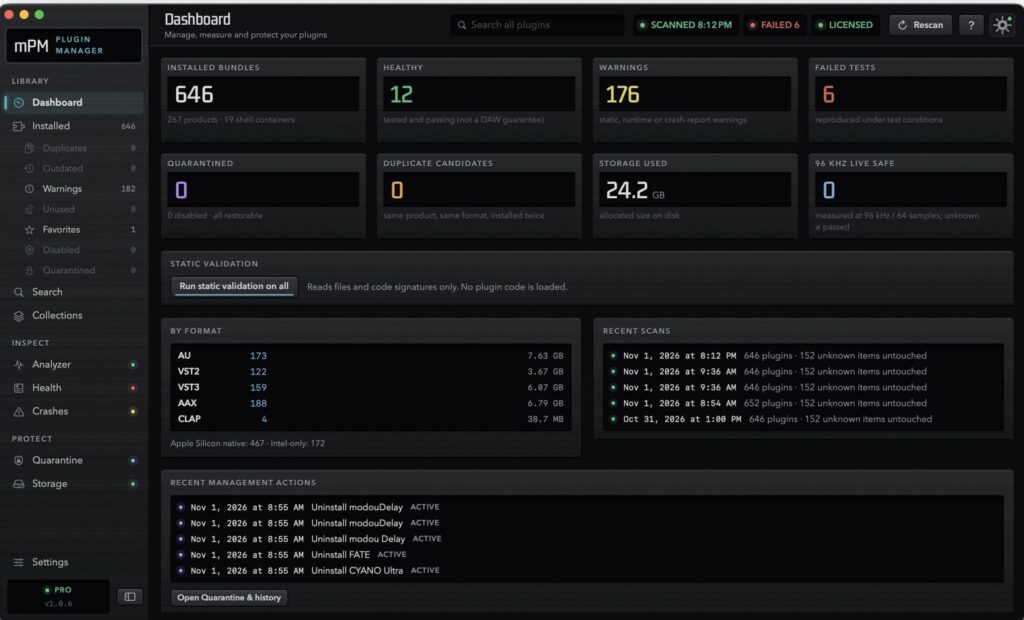
What It Does
mPM finds every plugin on your Mac and runs it in an isolated worker with reproducible test signals. Frequency, distortion, dynamics, latency and DSP load are measured, and every result is stored with the exact conditions it is valid for. Search by what was measured. Compare before and after an update. Set a plugin aside — reversibly, and only with your approval. When something fails, mPM shows the evidence. Fixing it is the manufacturer’s job.
Why one is enough
That question has five parts: what is installed, how it behaves, whether it survives your settings, whether the last update changed it, and what to do if it doesn’t. mPM answers all five in one place, on your Mac, with no account for the free features. Every figure carries its conditions. Anything not measured stays “unknown” and is never shown as passed. So you decide from evidence, not from memory or from the last crash.
Specification & Test Results
| Formats | Details |
|---|---|
| Plug-in formats | VST3, AU, AAX, Standalone |
| Operating systems | macOS 11+ (Apple Silicon native), Windows 10/11 (64-bit) |
| License | 30-day trial (1 machine) · License for up to 3 machines, delivered instantly after purchase (email and Central at once), managed from your modou dsp account |
FAQ
Yes — every product gets a 30-day free trial. There's no separate trial build: download and install modou Central, then request your trial for modouPluginManager from its License page.
Still stuck? MODU AI is in the corner of every page — it answers from the manuals and cites the section.
Sign in to search the manuals and ask MODU AI a question — it cites the exact section, every time.
Sign In